
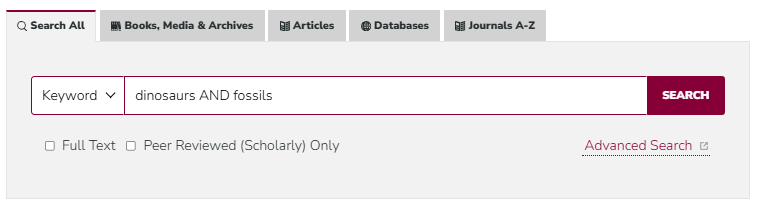
When you're searching the Library's Search All tool or other databases and resources, you might see items you want to see or read to which you don't have immediate full-text access.
On this page, you'll find instructions for how to request access to items (e.g., articles, book chapters, books, etc.) we don't have--for free!--through the Library's Search All tool and via Google Scholar, as well as for accessing the request system to make a request manually.
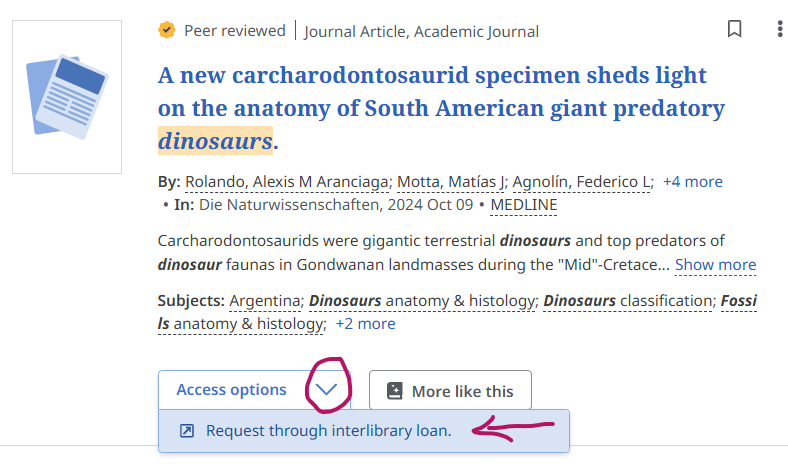
2. When you find an item you want but don't see a full-text access option (e.g., PDF or HTML), you'll see an option to "Request Item through Interlibrary Loan"
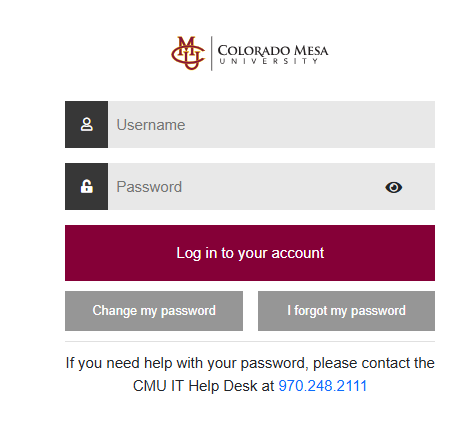
3. You'll be asked to log into our request system ("Tipasa") with your CMU username and password (the same one you use for MAVzone)
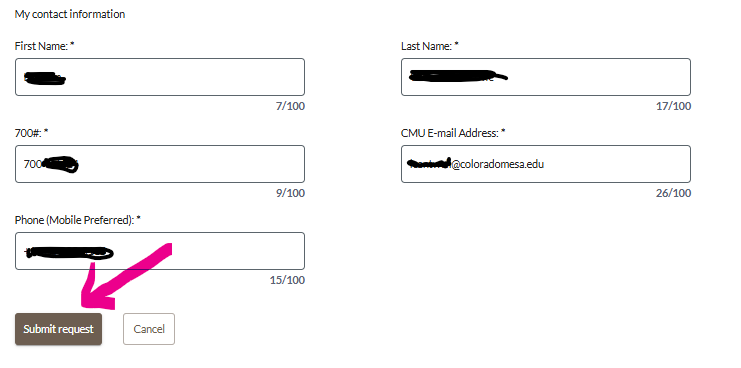
4. Once in the request system, the information about the item you wanted (e.g., article title, etc.) will be added to the form automatically.

5. Scroll down and click "Submit request."
6. Once the item is available, you'll get an email (and a text message, if you added your mobile number to the request) with a link to open, download/save, and print the full-text of the item.
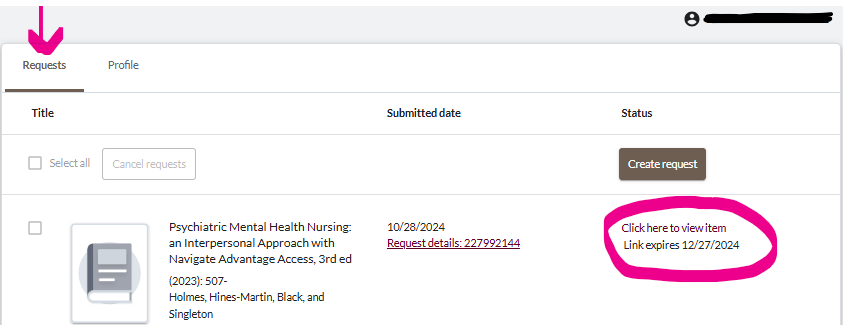
- Go to https://scholar.google.com/
- Click the Menu icon in the upper left.
- Select "Settings" from the Menu.
- Click "Library Links" from the Settings menu.
- Search "Colorado Mesa" and check the box that appears for "Colorado Mesa University
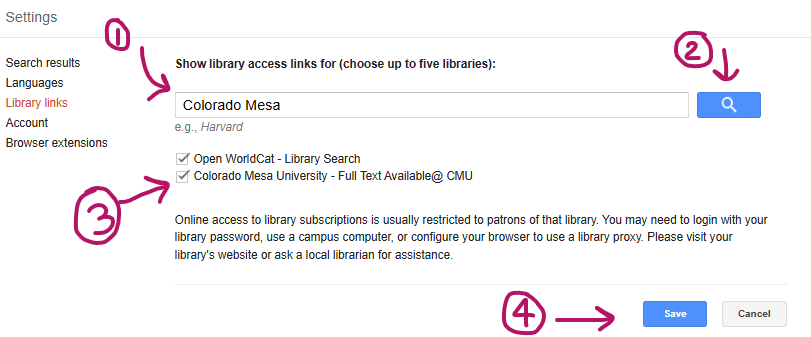
2. When you find an item you want but don't see a full-text access option (e.g., PDF or HTML), you'll see an arrow icon under the result. Click that ">>" icon to expand the options.
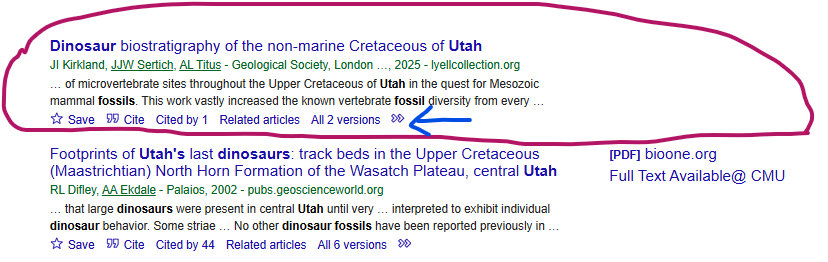
3. Click the option that appears for "Check @ CMU" so we can double-check our system to see if we have the item or not. (If we have the item, you'll be routed to how to access it!)
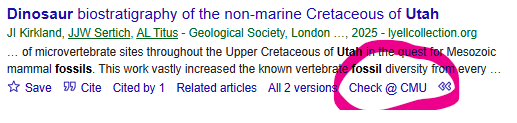
4. If the Library doesn't have a way to access the item, you'll be routed to our interlibrary loan request form automatically. To access the request form, you'll login with your CMU username and password (like on MAVzone).
6. Scroll down and click "Submit request."
7. Once the item is available, you'll get an email (and a text message, if you added your mobile number to the request) with a link to open, download/save, and print the full-text of the item.
For items unavailable at CMU (e.g., a book you found on Amazon or in a reference list), you can submit a manual request through our form. (Note: To obtain the material, we must be able to identify a library that has the material and is willing to loan or copy what you have requested.)
Once you login using your CMU username and password (like for MAVzone), you can fill our the form to submit your request.
You can enter a request for a book, book chapter, article, or other materials directly from this form.
Questions? Contact us.
We can scan and deliver journal articles and book chapters from the CMU Library's print collection for you, too! (Note: This service is available for current CMU students, faculty, and staff only.)
Questions? Contact us!
- Contact Interlibrary Loan by phone (970.248.1844) or email ([email protected]) Mon-Fri 7am - 5pm.